Showing posts with label Mobile Secrets-Tricks. Show all posts
Showing posts with label Mobile Secrets-Tricks. Show all posts
1
read more
Opera Mini 7 Hack handler mod for Airtel and Vodafone
For the first time, Hackingpalace presents a new hacked application for S60V5 symbian phones. By using thi modded Opera Mini, you can access free Internet on Airtel network with your Symbian phone. It also supports 3G and 2G. Unlike my previous versions of Opera Mini hacked apps, this one also supports resume support in downlading files. Since S60V5 apps are inbuilt with certificates, there will not be any certificate issues when installing. Please note that this is my first modded application for S60v5. So there is chance for occurring bugs. If you found any bug, please let me know. I have also included a Proof of the working trick with this. The screen shot is taken in 3G network of Airtel.

 First, download Opera Mini 7 hacked application for Airtel or Vodafone according to your network.
DatafileHost
Google Sites
DatafileHost
Google Sites
This is a specially modded application. So, you have no need to worry. Just download and install the application. Then you can access free Internet Unlimted with 3G speed.

Instructions
 First, download Opera Mini 7 hacked application for Airtel or Vodafone according to your network.
Download Opera Mini 7 Airtel S60v5 SIS
DatafileHost
Google Sites
Download Opera Mini 7 Vodafone S60v5 SIS
DatafileHost
Google Sites
This is a specially modded application. So, you have no need to worry. Just download and install the application. Then you can access free Internet Unlimted with 3G speed.
1
 Here I'll explain how to hack the passwords or RAR and ZIP files. If a compressed archive is protected using a password you can only access them after providing the password. So, if you forgot your password, you cannot access th files in it. There is nothing to worry, We can hack them by using the software I provided here very easily. This software has two methods of recovering the password. They are Brute force attack and dictionary attack. For detailed instructions, read below.
Dictionary attack means to try some usual passwords that eveybody creates, for eg: paswords like "princess", "1234", "password" etc. This method is not much powerful. Yet it can give some hope.
The other method is the most important and popular method of cracking passwords, ie: Brute Force attack. In this method, it checks the password by using all the combination of alphabets, numbers and symbols in a keyboard. That means, by using this method you can hack any password of any encryption. The disadvantage of this one is that it takes much time if the password is greater than 4 characters.
 1. Download Zip password Unlocker or Rar file unlocker from below.
2. Then install the software and run it. (better to disconnect Internet connection while installing)
3. Now on input tab, Select your file which you want to crack and fill necessary informations like password lengths etc.
3. Better to try Dictionary attack first. Clik Dictionary attack tab and select your dictionary passwords file (which is pre installed with the software). Then click Start. It will show the password in a text box, if found.
4. If it fails, you can try brute force attack. Click brute force and then start. After cracking, password will be shown in a text box.
5. That's it! Now you have recovered password from your Zip/rar file.
read more
recover or hack protected ZIP, RAR passwods
 Here I'll explain how to hack the passwords or RAR and ZIP files. If a compressed archive is protected using a password you can only access them after providing the password. So, if you forgot your password, you cannot access th files in it. There is nothing to worry, We can hack them by using the software I provided here very easily. This software has two methods of recovering the password. They are Brute force attack and dictionary attack. For detailed instructions, read below.
Dictionary attack means to try some usual passwords that eveybody creates, for eg: paswords like "princess", "1234", "password" etc. This method is not much powerful. Yet it can give some hope.
The other method is the most important and popular method of cracking passwords, ie: Brute Force attack. In this method, it checks the password by using all the combination of alphabets, numbers and symbols in a keyboard. That means, by using this method you can hack any password of any encryption. The disadvantage of this one is that it takes much time if the password is greater than 4 characters.
Instructions

2. Then install the software and run it. (better to disconnect Internet connection while installing)
3. Now on input tab, Select your file which you want to crack and fill necessary informations like password lengths etc.
3. Better to try Dictionary attack first. Clik Dictionary attack tab and select your dictionary passwords file (which is pre installed with the software). Then click Start. It will show the password in a text box, if found.
4. If it fails, you can try brute force attack. Click brute force and then start. After cracking, password will be shown in a text box.
5. That's it! Now you have recovered password from your Zip/rar file.
0


 read more
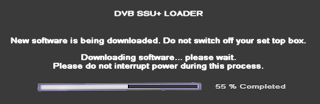
Trick to Update Airtel Digital TV Software Manually

How to Update ADTV STB Software Manually:
- First switch on your TV. Then your Digital TV set top box.
It should be strictly followed. First TV. Then STB. - Now you will see a notification on the TV Screen as like "Please wait Initializing.."
- Don't wait now. Immediately press exit button on ADTV remote twice.
- Now press 2465 immediately from our ADTV Remote controller.
- Then Downloading process will start.


0
read more
NEw Aircel new trick aug.2012
Hi Friend's.
This trick is working in Kerala, Tamilnadu
This trick is quite simple and is not a VPN or PROXY trick
Just follow the steps below
The speed lies between 550-750 Kbps
This trick is working in Kerala, Tamilnadu
This trick is quite simple and is not a VPN or PROXY trick
Just follow the steps below
- Just Dial *122*079# on your handset and press call button.
- A message will be received saying that "your 3 days 3g service has been activated..."
- On After 3 rd day repeat the above procedure again..
The speed lies between 550-750 Kbps
0
Every body in the world are being Addicted to Internet now a days (me too). But they cant tolerate the amount they spend for Internet connections. Surely internet is a great place to gather new Information, Share ideas, Making friends etc. Now we are giving you a Trick to get Free Internet from your PC or Laptop with your AirTel sim.
Now make sure, you have less balance in your account ( below 10 paise ). Now connect to Internet using the phone. Now you have to adjust some settings on your Browser.
Now you should provide some proxies, Port and Home Page Addresses on the settings. You can find many working proxy Trick on our site. Some of them are given below. We are Updating This List every day. So stay connected with us Daily updated Trick.
If you have configured proxy servers, then next step is to enter the home page address on your browser's Address bar. And press Enter. Now wait for some time to load the page completely. The you can see the space to enter the URl. Just browse any page that you like using that site. You will get Free Browsing and Downloading with this trick Unlimited.
If you want more tricks Follow us on Twitter, Facebook, Google Plus. Subscribe to our Daily News Letter
read more
Trick to Update Airtel Digital TV Software Manually
 |
| Free Internet for Computer |
- Airtel Sim Card
- Computer (PC, Laptop, Tablet anything)
- Web Browser
- Mobile Phone ( or any thing used to connect internet via a SIM )
Now make sure, you have less balance in your account ( below 10 paise ). Now connect to Internet using the phone. Now you have to adjust some settings on your Browser.
Now you should provide some proxies, Port and Home Page Addresses on the settings. You can find many working proxy Trick on our site. Some of them are given below. We are Updating This List every day. So stay connected with us Daily updated Trick.
- High Speed Proxies for Airtel
- Free Youtube streaming proxy for Airtel
- Facebook Supported proxy for Airttel Free Gprs
If you have configured proxy servers, then next step is to enter the home page address on your browser's Address bar. And press Enter. Now wait for some time to load the page completely. The you can see the space to enter the URl. Just browse any page that you like using that site. You will get Free Browsing and Downloading with this trick Unlimited.
If you want more tricks Follow us on Twitter, Facebook, Google Plus. Subscribe to our Daily News Letter
0


read more
PC to mobile call For FREE


Features of CrowdCall
- FREE group/conference calls with people in the US, Canada and over 40 other countries. Super low cost to the rest of the world.
- Calls are instant – no Signup, no Dial-in number and no PIN number to remember – press the call button and everyone’s phone rings and they are connected.
- With CrowdCall you have group/conference calls with anyone who has a phone number. They don’t need to have the app to participate in a CrowdCall – they don’t even need a mobile phone!
Steps to do call with Crowd Call
- Download BlueStacks HD AppPlayer Pro and CrowdCall 1.0.15 from above
- Install BlueStacks HD AppPlayer Pro and start the AppPlayer by opening Start BlueStacks from desktop or start menu.
- Now double click on CrowdCall_1.0.15.apk and install it.
- Now you can see CrowdCall icon on the main screen of BlueStacks HD AppPlayer.
- Go to settings of BlueStacks HD AppPlayer from bottom right corner and Change App Size of CrowdCall to Tablet
- Now come to home screen and open CrowdCall.
- From the first screen select your country and enter your mobile number and press OK.
- Now Close BlueStacks HD AppPlayer window. And Quit BlueStacks HD AppPlayer from TaskBar also.
- First of all make sure that BlueStacks HD AppPlayer is completely closed.
- Now go to C:\ProgramData\BlueStacks\Android for win 7 and copy Data.fs file to safe place as Back Up.
- Now feel free to call anyone. Once you get warning of Reached Daily Limit. Just Replace C:\ProgramData\BlueStacks\Android\Data.fs for win 7 with the back upped Data.fs.
- By replacing file you’re resetting the BlueStacks HD AppPlayer.
- Now start calling and have fun as much as you want. No need to reinstall BlueStacks HD AppPlayer ever again.
1
 FOR LG
LG all models test mode:
Type 2945#*# on the main screen.
2945*#01*# Secret menu for LG
IMEI and SW (LG 510): *#07#
Software version (LG B1200): *8375#
Recount cheksum (LG B1200): *6861#
Factory test (B1200): #PWR 668
Simlock menu (LG B1200): 1945#*5101#
Simlock menu (LG 510W, 5200): 2945#*5101#
Simlock menu (LG 7020, 7010): 2945#*70001#
Simlock menu (LG 500, 600): 2947#*
 FOR NOKIA
 FOR SAMSUNG
 FOR MOTOROLA
 Sony Ericsson
 GSM Secret
read more
All Mobiles latest Tips n Tricks
FOR LGLG all models test mode:
Type 2945#*# on the main screen.
2945*#01*# Secret menu for LG
IMEI and SW (LG 510): *#07#
Software version (LG B1200): *8375#
Recount cheksum (LG B1200): *6861#
Factory test (B1200): #PWR 668
Simlock menu (LG B1200): 1945#*5101#
Simlock menu (LG 510W, 5200): 2945#*5101#
Simlock menu (LG 7020, 7010): 2945#*70001#
Simlock menu (LG 500, 600): 2947#*
LG-U81XX SPECIAL CODES
Code to read phone version :
- Phone without SIM
- Enter 277634#*# or 47328545454#
- Select ‘SW Ver.info’
Code to reset phone :
- Phone without SIM
Code to read phone version :
- Phone without SIM
- Enter 277634#*# or 47328545454#
- Select ‘SW Ver.info’
Code to reset phone :
- Phone without SIM
- Enter 277634#*# or 47328545454#
- Select ‘Factory Reset’
- Select ‘Factory Reset’
Code to enter UNLOCK MENU :
- Phone wit SIM inside
- Enter 2945#*88110#
Test Menu 8330 : 637664#*#
Test Menu 8180 V10a: 49857465454#
Test Menu 8180 V11a: 492662464663#
Test Menu 8130-8138: 47328545454#
Test Menu 8110-8120: 277634#*
LG all models test mode:
Type 2945#*# on the main screen.
2945*#01*# Secret menu for LG
IMEI and SW (LG 510): *#07#
Software version (LG B1200): *8375#
Recount cheksum (LG B1200): *6861#
Factory test (B1200): #PWR 668
Simlock menu (LG B1200): 1945#*5101#
Simlock menu (LG 510W, 5200): 2945#*5101#
Simlock menu (LG 7020, 7010): 2945#*70001#
Simlock menu (LG 500, 600): 2947#*
- Phone wit SIM inside
- Enter 2945#*88110#
Test Menu 8330 : 637664#*#
Test Menu 8180 V10a: 49857465454#
Test Menu 8180 V11a: 492662464663#
Test Menu 8130-8138: 47328545454#
Test Menu 8110-8120: 277634#*
LG all models test mode:
Type 2945#*# on the main screen.
2945*#01*# Secret menu for LG
IMEI and SW (LG 510): *#07#
Software version (LG B1200): *8375#
Recount cheksum (LG B1200): *6861#
Factory test (B1200): #PWR 668
Simlock menu (LG B1200): 1945#*5101#
Simlock menu (LG 510W, 5200): 2945#*5101#
Simlock menu (LG 7020, 7010): 2945#*70001#
Simlock menu (LG 500, 600): 2947#*
LG-U81XX SPECIAL CODES
Code to read phone version :
- Phone without SIM
- Enter 277634#*# or 47328545454#
- Select ‘SW Ver.info’
Code to reset phone :
- Phone without SIM
Code to read phone version :
- Phone without SIM
- Enter 277634#*# or 47328545454#
- Select ‘SW Ver.info’
Code to reset phone :
- Phone without SIM
- Enter 277634#*# or 47328545454#
- Select ‘Factory Reset’
- Select ‘Factory Reset’
Code to enter UNLOCK MENU :
- Phone wit SIM inside
- Enter 2945#*88110#
Test Menu 8330 : 637664#*#
Test Menu 8180 V10a: 49857465454#
Test Menu 8180 V11a: 492662464663#
Test Menu 8130-8138: 47328545454#
Test Menu 8110-8120: 277634#
- Phone wit SIM inside
- Enter 2945#*88110#
Test Menu 8330 : 637664#*#
Test Menu 8180 V10a: 49857465454#
Test Menu 8180 V11a: 492662464663#
Test Menu 8130-8138: 47328545454#
Test Menu 8110-8120: 277634#
==================================================
FOR NOKIA
To check the phones Software revision for Nokia Mobile.
On the main screen type *#0000#
On the main screen type *#0000#
To enter in the secret menu in Nokia Phone.
On the main screen type *#92702689# [*#war0anty#]
It will take you to a secret menu where you may find some of the information below:
1. Displays Serial Number.
2. Displays the Month and Year of Manufacture
3. Displays (if there) the date where the phone was purchased (MMYY)
4. Displays the date of the last repair – if found (0000)
5. Shows life timer of phone (time passes since last start)
On the main screen type *#92702689# [*#war0anty#]
It will take you to a secret menu where you may find some of the information below:
1. Displays Serial Number.
2. Displays the Month and Year of Manufacture
3. Displays (if there) the date where the phone was purchased (MMYY)
4. Displays the date of the last repair – if found (0000)
5. Shows life timer of phone (time passes since last start)
To restore Factory Settings for Nokia mobile
*#7780# reset to factory settings.
*#7780# reset to factory settings.
Taking picture without getting noticed.
Turn on/off the “click” sound made by the camera by selecting the ‘Silent’ profile or by turning warning tones on/off.
Turn on/off the “click” sound made by the camera by selecting the ‘Silent’ profile or by turning warning tones on/off.
Hiding your Mobile/ Cellphone Number
Go to: Menu > Tools > Settings > Call > Send My Caller ID >
‘Yes’, ‘No’ or ‘Set By Network’ to follow the default settings of your home network.
It works only with very few network who provide you facility of “Private Number”
Go to: Menu > Tools > Settings > Call > Send My Caller ID >
‘Yes’, ‘No’ or ‘Set By Network’ to follow the default settings of your home network.
It works only with very few network who provide you facility of “Private Number”
Speed Dialing From Simcard contact (not stored in mobile phonebook)
Type number followed by # then call.
Example: 1# or 2# or 21#
Type number followed by # then call.
Example: 1# or 2# or 21#
==================================================
FOR SAMSUNG
If you have downloaded corrupted or incompatible Java midlets or other media,
which are causing problems with the phone, try this
*2767*JAVA# Java Reset and (Deletes all Java Midlets)
*2767*MEDIA# Reset Media (Deletes All Sounds and Pics)
*2767*WAP# Wap Reset
*2767*CUST# Reset Custom EEPR0M
*2767*FULL# Reset Full EEPR0M (Caution)
For example : *2767*JAVA# would be keyed in as *2767*5282#
Note : Not all codes will work with SGH-C100.
which are causing problems with the phone, try this
*2767*JAVA# Java Reset and (Deletes all Java Midlets)
*2767*MEDIA# Reset Media (Deletes All Sounds and Pics)
*2767*WAP# Wap Reset
*2767*CUST# Reset Custom EEPR0M
*2767*FULL# Reset Full EEPR0M (Caution)
For example : *2767*JAVA# would be keyed in as *2767*5282#
Note : Not all codes will work with SGH-C100.
The master reset code is:#*7728#
This will not delete anything from your
mobile phone, but set each and eveything to its
default/standard setting as it was on the time of purchase.
This will not delete anything from your
mobile phone, but set each and eveything to its
default/standard setting as it was on the time of purchase.
To unlock your phone put a sim from another company,
now type *#9998*3323# it will reset your phone. Push exit and then push 7,
it will reset again. Put your other sim in and it will say sim lock,
type in 00000000 then it should be unlocked. Type in *0141# then
the green call batton and it’s unlocked to all networks.
This code may not work on the older phones and some of the newer phones.
If it doesn’t work you will have to reset your phone without a sim in it
by typing *#2767*2878# or *#9998*3855# (not tested)
now type *#9998*3323# it will reset your phone. Push exit and then push 7,
it will reset again. Put your other sim in and it will say sim lock,
type in 00000000 then it should be unlocked. Type in *0141# then
the green call batton and it’s unlocked to all networks.
This code may not work on the older phones and some of the newer phones.
If it doesn’t work you will have to reset your phone without a sim in it
by typing *#2767*2878# or *#9998*3855# (not tested)
Other Samsung Codes*#9998*4357# Help Menu*#9998*5282# Java menu (GRPS/CSD settings for JAVA server)*#9999#0# Monitor Mode
*#9999# or *#9998*9999# Software Version
*#8888# or *#9998*8888# Hardware Version
*#9998*746# or *#9998*0746# or *#0746# Sim Infos
*#9998*523# or *#9998*0523# or *#0523# Display Contrast
*#9998*842# or *#9998*0842# or *#0842# Vibration On (until you push OK)
*#9998*289# or *#9998*0289# or *#0289# Buzzer On (until you push OK)
*#9998*288# or *#9998*0288# or *#0288# Battery & Field Infos
*#9998*377# or *#9998*0377# Error log
*#9998*778# or *#9998*0778# or *#0778# Sim Service table
*#9998*782# show date and alarm clock
*#8999*638# show network information
*#9998*5646# change operator logo at startup
*#9998*76# production number
*#9998*968# view melody for alarm*#9998*585# Non-Volatile Memory (NVM)*#3243948# Digital Audio Interference Off*#32436837# Digital Audio Interference On
*#9999# or *#9998*9999# Software Version
*#8888# or *#9998*8888# Hardware Version
*#9998*746# or *#9998*0746# or *#0746# Sim Infos
*#9998*523# or *#9998*0523# or *#0523# Display Contrast
*#9998*842# or *#9998*0842# or *#0842# Vibration On (until you push OK)
*#9998*289# or *#9998*0289# or *#0289# Buzzer On (until you push OK)
*#9998*288# or *#9998*0288# or *#0288# Battery & Field Infos
*#9998*377# or *#9998*0377# Error log
*#9998*778# or *#9998*0778# or *#0778# Sim Service table
*#9998*782# show date and alarm clock
*#8999*638# show network information
*#9998*5646# change operator logo at startup
*#9998*76# production number
*#9998*968# view melody for alarm*#9998*585# Non-Volatile Memory (NVM)*#3243948# Digital Audio Interference Off*#32436837# Digital Audio Interference On
==================================================
FOR MOTOROLA
Code to lock keys. Press together *7
Note: [] (pause) means the * key held in until box appears.
Select phone line – (use this to write things below the provider name):
[] [] [] 0 0 8 [] 1 []
Select phone line – (use this to write things below the provider name):
[] [] [] 0 0 8 [] 1 []
Add phonebook to main menu:
[] [] [] 1 0 5 [] 1 []
Add messages to main menu:
[] [] [] 1 0 7 [] 1 []
[] [] [] 1 0 5 [] 1 []
Add messages to main menu:
[] [] [] 1 0 7 [] 1 []
Copy SIM memory (phonebook menu):
[] [] [] 1 0 8 [] 1 []
[] [] [] 1 0 8 [] 1 []
Eng Field options (main menu):
[] [] [] 1 1 3 [] 1 []
[] [] [] 1 1 3 [] 1 []
Slow (Frequency of search menu):
[] [] [] 1 0 1 [] 1 []
[] [] [] 1 0 1 [] 1 []
Medium (Frequency of search menu):
[] [] [] 1 0 2 [] 1 []
[] [] [] 1 0 2 [] 1 []
Fast (Frequency of search menu):
[] [] [] 1 0 3 [] 1 []
[] [] [] 1 0 3 [] 1 []
Enable EFR:
[] [] [] 1 1 9 [] 1 []
[] [] [] 1 1 9 [] 1 []
Function :
[] [] [] # # # [] 1 []
[] [] [] # # # [] 1 []
Change pin:
[] [] [] 0 0 4 [] 1 []
[] [] [] 0 0 4 [] 1 []
Unblocking using the “puk” number:
[] [] [] 0 0 5 [] 1 []
[] [] [] 0 0 5 [] 1 []
You can change GSM frequencies to 900/1800 by entering the enginnering model.
Following the below steps:
enter menu and press 048263* quickly,
then you will enter the secret engineering menu under “Opcode”
input 10*0*3 for GSM 900
10*0*4 for GSM 1800
10*0*5 for GSM 1900
10*0*6 for dual band GSM 900/1800
10*0*7 for dual band GSM 850/1900
Following the below steps:
enter menu and press 048263* quickly,
then you will enter the secret engineering menu under “Opcode”
input 10*0*3 for GSM 900
10*0*4 for GSM 1800
10*0*5 for GSM 1900
10*0*6 for dual band GSM 900/1800
10*0*7 for dual band GSM 850/1900
To add extra message space 4 your Motorola C350 C450 C550 or C650,
press menu button, press 048263* quickly, then on the popup menu enter 47 press ok.
press 50 and ok.press 1 ok.press 64 ok.press 1 ok.press 186 and ok.
You will receive an extra 50 msgs memory space.Switch phone off and back on.
press menu button, press 048263* quickly, then on the popup menu enter 47 press ok.
press 50 and ok.press 1 ok.press 64 ok.press 1 ok.press 186 and ok.
You will receive an extra 50 msgs memory space.Switch phone off and back on.
==================================================
Sony Ericsson
Sony Ericsson Secret Menu:
> * < < * means press joystick or arrow keys to right
< means press joystick or arrow keys to left
1. push joy stick to RIGHT once
2. press *
3. push joy stick to LEFT twice
4. press *
5. push joy stick to LEFT once
6. press *
> * < < * means press joystick or arrow keys to right
< means press joystick or arrow keys to left
1. push joy stick to RIGHT once
2. press *
3. push joy stick to LEFT twice
4. press *
5. push joy stick to LEFT once
6. press *
The Service Menu will appears containing following information !
1. Service Info
a. Software Version
b. SIMlock
c. Configuration
2. Service Setting
a. Contrast
3. Service Test
a. Display
b. LED/Illumination – *This test is very cool
c. Keyboard
d. Buzzer
e. Vibrator
f. Earphone
g. Microphone
h. Real Time Clock
i. Joystick Counter*
1. Service Info
a. Software Version
b. SIMlock
c. Configuration
2. Service Setting
a. Contrast
3. Service Test
a. Display
b. LED/Illumination – *This test is very cool
c. Keyboard
d. Buzzer
e. Vibrator
f. Earphone
g. Microphone
h. Real Time Clock
i. Joystick Counter*
Lockstatus: < * * <
Shortcut to last dialed numbers: 0#
Shortcut to sim numbers: On main menu type a number and press #
If you change the language from default to any other language, then it may be difficult to switch to default language.
The shortcut is very simple. Just press
stands for right arrow button or joystick.
The shortcut is very simple. Just press
stands for right arrow button or joystick.
Secret Games: Snake on the T68
Go to Erix and then on the main screen press 123 and you will be taken to the game.
Go to Erix and then on the main screen press 123 and you will be taken to the game.
Secret Message:
On Tetris on the main screen when the blocks are falling press 397 and a message will appear.
On Tetris on the main screen when the blocks are falling press 397 and a message will appear.
======================================
GSM Secret
All the tips and tricks provided by Hidden Tricks is free and its not necessary to sign up also.
Type *#61# and press call – Check call redirection status.
Cancel all redirections: ##002#
*43# to activate call waiting, to deactivate #43#.
If your phone doesn’t have incoming call barring and outgoing call barring, you can try this. For outgoing call barring dial *33*barcode*# and pres OK. To deactivate it dial #33#barcode*#.
On any phone on any network type in **43# to enable conference calls. You can make up to 7 calls at once
If you need to block SMS reception (if you are spammed by someone) just press this code: *35*xxxx*16# xxxx is your Call Barring code (default is 0000). To remove this barring type: #35*xxxx#
If you want to hide/show your phone number when calling, put one of these codes below in front of the number that you are going to call. (*#30# / *#31# or *31# / #31# ) Works on some networks.
Typing *0# or *nm# on the beginning of a txt message gives you detailed delivery report on some networks.. But turn off reports in message settings before.
When the sim card-pin blocked type **042*pin2 old*newpin2*newpin2*
0
Read more: How to Enable / Disable Disk Write Caching http://www.techmixer.com/enable-disable-disk-write-caching/#ixzz252z2JI00
read more
How to Enable / Disable Disk Write Caching?
What exactly is Disk Write Caching?
Disk write caching refers to highest usage of volatile memory to send write commands to your local or networked disk and cache them until the destination device can adapt them. As disk write cache uses volatile memory, continue power supply is required. Interrupted power supply on disk write cache enabled system can cause data loss, system failure or may leads system to unstable state and prevents you to access your system anymore.
Windows XP has a default option to enable or disable disk write caching unlike in Windows 7 which itself uses this feature whenever required and signals after successfully writing data to the disk and removes cache copy of it, known as write back caching method. However, it increases the risk of more data loss due to mistakenly deleting the cache files before the full data is written to the disk. The same thing happens with removable media storage devices when you remove the media accidentally while any on going write operation. That’s why, every removable media is presented with ‘Safely remove hardware’ option to safely remove the device only when the write operation is completed successfully.
Windows 7 has amazing cache feature known as cache flushing, which periodically sends write commands to the disk for any cache item waiting in the cache to be written on the disk. You can turn of this periodic command by selecting Turn off Windows write cache buffer flushing on the device. However, you are prohibited to turn off this window features unless the device has a constant power supply medium to flush its buffer in case of any failure.
How to Enable / Disable Disk Write Cache:
- Right Click on ‘My Computer’ and select ‘Properties’
- Select ‘Hardware’ and click on ‘Device Manager’ tab
- Click on plus ‘+’ sign followed by ‘Disk Drives’ option
- Right click on the media or drive, you want to enable / disable disk write cache and select ‘Properties’ tab
- Click on the ‘Policies’ tab and Check/Uncheck the option ‘Enable Disk Write Caching on the Disk’ to enable or disable the disk write cache on the required media.
- Click ‘OK’ and close the device manager Window. That’s it.

PS:
1) Disk write cache can be enabled for hard drives as well as for any removable media (quick removal storage media devices). To enable disk write cache on removable media, you need to select the radio button entitled ‘Optimize for quick removal’ after inserting the removable media on any of computer USB ports.
2) You need to follow the same steps to enable/disable disk write caching on Windows 7, Vista, 2000 etc. However, the device manager window can be found only in control panel.
Read more: How to Enable / Disable Disk Write Caching http://www.techmixer.com/enable-disable-disk-write-caching/#ixzz252z2JI00
0
read more
How To UNLOCK HTC TOUCH
Here are the steps to unlock HTC Touch for any network :
- Copy 'Cert_SPCS.cab' on your phone & install (run).
- Copy 'EnableRapi.cab' on your phone & install (run).
- Connect Your HTC with PC
- Establish an Activesync connection with your phone.
- Unzip the zip file & Run "Unlock_Touch.exe"on your PC. (Make sure the ActiveSync connection is still running)
- File "unlock_code.txt" thus generated will have your unlock code( Eight-digit number).Ignore any other digits if generated.
Subscribe to:
Posts (Atom)


