Showing posts with label Opera Mini. Show all posts
Showing posts with label Opera Mini. Show all posts
0

Features in New Opera Mini 7 Next:
~ Added unlimited number of Speed Dials on your homepage
~ Added support for platform dictionary
~ Added support for uploading files
~ Added Zoom setting
~ Added Exit button to Android (check setting to enable)
~ Lots of improvement and bug fix tweaks.
Download Handler:
Opera Mini 7 HUI203 .jar
Opera Mini 7 HUI203 .zip
Opera Mini 7 HUI203 .apk
read more
Download Opera Mini 7 Next Handler

Features in New Opera Mini 7 Next:
~ Added unlimited number of Speed Dials on your homepage
~ Added support for platform dictionary
~ Added support for uploading files
~ Added Zoom setting
~ Added Exit button to Android (check setting to enable)
~ Lots of improvement and bug fix tweaks.
Download Handler:
Opera Mini 7 HUI203 .jar
Opera Mini 7 HUI203 .zip
Opera Mini 7 HUI203 .apk
0
 Finnaly Opera Mini Mod 4.2 come out from Test series and released Release Candidate and RC 2 available now. Opera Mini Mod is a series of modded version of original Opera Mini with advanced new features like Download Manager, File Manager, Copy-Paste feature, Multi-Tab browsing, Customizable Shortcuts, Templates, Multi-clipboard, Import/Export bookmarks, Color Skin Maker, Control the Backlight brightens and many other advanced features in single package. Here the English version available for Opera Mini Mod 4.2 RC 2 and Handler Version for RC1 also available now.
New Features in Opera Mini Mod 4.2 Version:
read more
Download updated Opera Mini Mod 4.2 Release Candidate 2 English and RC1 HUI
Finnaly Opera Mini Mod 4.2 come out from Test series and released Release Candidate and RC 2 available now. Opera Mini Mod is a series of modded version of original Opera Mini with advanced new features like Download Manager, File Manager, Copy-Paste feature, Multi-Tab browsing, Customizable Shortcuts, Templates, Multi-clipboard, Import/Export bookmarks, Color Skin Maker, Control the Backlight brightens and many other advanced features in single package. Here the English version available for Opera Mini Mod 4.2 RC 2 and Handler Version for RC1 also available now.New Features in Opera Mini Mod 4.2 Version:
Download Manager: The brand new download manager with pause/resuming support. It also has download block size. You can add as many files in the download manager and simultaneously download them.
File Manager: You can use this advanced file manager for modify, view and other management to your file. You can play media files,view pictures, hidden files and add/edit text. Even you can edit hex data with it.
Copy-Paste Function: Similar to that in opera mini mod 3, means you can copy and paste text from any web page.
Multi Tab/Windows: Multi-window browsing for opening more than one site at a time.
~Keypad shortcuts at will.
~Templates for easy input.
~Multi Clipboard.
~Import/Export bookmarks.
~Control the Backlight brightens.
~Shadow browsing.
~Address Auto complete, Speed Dial,Synchronization, Page Saving, Skins.
~Own Color Skin Maker in "ChangeSkin".
~Power-User Setting and Debug Setting in "Special" Setting Function.
~Copy Full Text Box Texts to Clipboard.
~Templates for easy input.
~Multi Clipboard.
~Import/Export bookmarks.
~Control the Backlight brightens.
~Shadow browsing.
~Address Auto complete, Speed Dial,Synchronization, Page Saving, Skins.
~Own Color Skin Maker in "ChangeSkin".
~Power-User Setting and Debug Setting in "Special" Setting Function.
~Copy Full Text Box Texts to Clipboard.
~Screenshot feature added.
~Option for Sending SMS.
~Option for 'minimizing'.
~"View url info" feature added (place your cursor on a link and view the url).
~You can put unlimited text in the box.
~And many more.Its features are endless.
~Option for Sending SMS.
~Option for 'minimizing'.
~"View url info" feature added (place your cursor on a link and view the url).
~You can put unlimited text in the box.
~And many more.Its features are endless.
0
 Hi, Friends this post for providing you the Handler Mod downloads for Latest Browser and other useful softwares. Here a large collection of handler mod for all new browsers like UCBrowser (Ucweb), Opera Mini, Opera Mini Mod, Bolt etc and many other useful apps like Nimbuzz, Snaptu, YourTube, Skype, GMap, Gmail, eBuddy, RocketTalk etc. Plz visit regularly for updated. Updated with new Handler UI Mod 200 beta (HUI 200b).
Handler UI Mod apps help you to browse for free or gain extra speed or better browsing experience, enable you to use custom proxy server and tricks for free internet browsing.
It also benefit that your connection works fast, you can choose any server that helps in reducing traffic on servers. Your site opening also improves. And the proxy server provided by service provider cannot be changed directly from phone so thats why we use proxy mod apps.
How to Use of Queries In Handler UI Mod Editable Server:
New: Tutorial How to Use Handler UI Mod Apps by Yk_Handler
(Thanks to Yk_handler to make such a great mods and sohil876 for following explanation)
In field Custom HTTP Server : put any customizable proxy server (example: http://wapx.amob.com) with main server of app (example: server4.operamini.com:80/). In this block to use it as proxy http server (example: http://wapx.amob.com.server4.operamini.com/) in any app,
In field Front Query : It mostly used for adding downloading server or downloading trick (exp: wapx.amob.com@) but works only with some service providers,
In field Middle & Back Query : These are mostly useless for us so just leave it blank.
In field Remove String From URL/Remove Port From URL : Leave it blank for default.
In field HOST : You can provide host address or any server here to have a host server.
For example you can try following in Opera Mini 4.2 handler mod:
1. For fast speed: HTTP Server: http://mini5beta.opera-mini.net:80/ ; Front Query(only if its working for you otherwise leave it blank): wapx.amob.com@ ; Host: http://10.0.0.172/ ; Leave other fields blank.
2. HTTP Server: http://wapx.amob.com.server4.operamini.com:80/ ; Front Query(only if its working for you otherwise leave it blank): wapx.amob.com@ ; Host: http://10.0.0.172/ ; Leave other fields blank.
You can also use this indiatimes server for free browsing: http://wap.indiatimes.com/usearch/http://mini5beta.opera-mini.net:80/ or add another in place of http://mini5beta.opera-mini.net:80/
read more
Updated: Download Latest Handler Mod Apps: UC Browser, Opera Mini Bolt, etc
Hi, Friends this post for providing you the Handler Mod downloads for Latest Browser and other useful softwares. Here a large collection of handler mod for all new browsers like UCBrowser (Ucweb), Opera Mini, Opera Mini Mod, Bolt etc and many other useful apps like Nimbuzz, Snaptu, YourTube, Skype, GMap, Gmail, eBuddy, RocketTalk etc. Plz visit regularly for updated. Updated with new Handler UI Mod 200 beta (HUI 200b). Handler UI Mod apps help you to browse for free or gain extra speed or better browsing experience, enable you to use custom proxy server and tricks for free internet browsing.
It also benefit that your connection works fast, you can choose any server that helps in reducing traffic on servers. Your site opening also improves. And the proxy server provided by service provider cannot be changed directly from phone so thats why we use proxy mod apps.
How to Use of Queries In Handler UI Mod Editable Server:
New: Tutorial How to Use Handler UI Mod Apps by Yk_Handler
(Thanks to Yk_handler to make such a great mods and sohil876 for following explanation)
In field Custom HTTP Server : put any customizable proxy server (example: http://wapx.amob.com) with main server of app (example: server4.operamini.com:80/). In this block to use it as proxy http server (example: http://wapx.amob.com.server4.operamini.com/) in any app,
In field Front Query : It mostly used for adding downloading server or downloading trick (exp: wapx.amob.com@) but works only with some service providers,
In field Middle & Back Query : These are mostly useless for us so just leave it blank.
In field Remove String From URL/Remove Port From URL : Leave it blank for default.
In field HOST : You can provide host address or any server here to have a host server.
For example you can try following in Opera Mini 4.2 handler mod:
1. For fast speed: HTTP Server: http://mini5beta.opera-mini.net:80/ ; Front Query(only if its working for you otherwise leave it blank): wapx.amob.com@ ; Host: http://10.0.0.172/ ; Leave other fields blank.
2. HTTP Server: http://wapx.amob.com.server4.operamini.com:80/ ; Front Query(only if its working for you otherwise leave it blank): wapx.amob.com@ ; Host: http://10.0.0.172/ ; Leave other fields blank.
You can also use this indiatimes server for free browsing: http://wap.indiatimes.com/usearch/http://mini5beta.opera-mini.net:80/ or add another in place of http://mini5beta.opera-mini.net:80/
0
Hi, Friends this post for providing you the Download links for Latest Browser and other useful Handler Mod. Here the handler mod of new UC, Opera Mini, Bolt Final version many other useful apps like gmail, ebuddy, rockettalk etc. Plz visit regularly for updated. Updated with new Handler UI Mod 200 beta (HUI 200b).
Handler UI mod helps you to browse for free or gain extra speed or better browsing experience with enable you to use custom proxy server and tricks for free internet browsing.
It also benefit that your connection works fast, you can choose any server that helps in reducing traffic on servers. Your site opening also improves. And the proxy server provided by service provider cannot be changed directly from phone so thats why we use proxy mod apps.
How to Use of Queries In Handler UI Mod Editable Server:
(Thanks to Yk_handler to make such a great mods and sohil876for following explanation)
In field Custom HTTP Server : put any customizable proxy server (example: http://wapx.amob.com) with main server of app (example: server4.operamini.com:80/). In this block to use it as proxy http server (example: http://wapx.amob.com.server4.operamini.com/) in any app,
In field Front Query : It mostly used for adding downloading server or downloading trick (exp: wapx.amob.com@) but works only with some service providers,
In field Middle & Back Query : These are mostly useless for us so just leave it blank.
In field Remove String From URL/Remove Port From URL : Leave it blank for default.
In field HOST : You can provide host address or any server here to have a host server.
For example you can try following in Opera Mini 4.2 handler mod:
1. For fast speed: HTTP Server: http://mini5beta.opera-mini.net:80/ ; Front Query(only if its working for you otherwise leave it blank): wapx.amob.com@ ; Host: http://10.0.0.172/ ; Leave other fields blank.
2. HTTP Server: http://wapx.amob.com.server4.operamini.com:80/ ; Front Query(only if its working for you otherwise leave it blank): wapx.amob.com@ ; Host: http://10.0.0.172/ ; Leave other fields blank.
You can also use this indiatimes server for free browsing: http://wap.indiatimes.com/usearch/http://mini5beta.opera-mini.net:80/ or add another in place of http://mini5beta.opera-mini.net:80/
read more
ownload Latest Handler Mod Apps: Bolt, UC Browser, Opera Mini etc
Hi, Friends this post for providing you the Download links for Latest Browser and other useful Handler Mod. Here the handler mod of new UC, Opera Mini, Bolt Final version many other useful apps like gmail, ebuddy, rockettalk etc. Plz visit regularly for updated. Updated with new Handler UI Mod 200 beta (HUI 200b). Handler UI mod helps you to browse for free or gain extra speed or better browsing experience with enable you to use custom proxy server and tricks for free internet browsing.
It also benefit that your connection works fast, you can choose any server that helps in reducing traffic on servers. Your site opening also improves. And the proxy server provided by service provider cannot be changed directly from phone so thats why we use proxy mod apps.
How to Use of Queries In Handler UI Mod Editable Server:
(Thanks to Yk_handler to make such a great mods and sohil876for following explanation)
In field Custom HTTP Server : put any customizable proxy server (example: http://wapx.amob.com) with main server of app (example: server4.operamini.com:80/). In this block to use it as proxy http server (example: http://wapx.amob.com.server4.operamini.com/) in any app,
In field Front Query : It mostly used for adding downloading server or downloading trick (exp: wapx.amob.com@) but works only with some service providers,
In field Middle & Back Query : These are mostly useless for us so just leave it blank.
In field Remove String From URL/Remove Port From URL : Leave it blank for default.
In field HOST : You can provide host address or any server here to have a host server.
For example you can try following in Opera Mini 4.2 handler mod:
1. For fast speed: HTTP Server: http://mini5beta.opera-mini.net:80/ ; Front Query(only if its working for you otherwise leave it blank): wapx.amob.com@ ; Host: http://10.0.0.172/ ; Leave other fields blank.
2. HTTP Server: http://wapx.amob.com.server4.operamini.com:80/ ; Front Query(only if its working for you otherwise leave it blank): wapx.amob.com@ ; Host: http://10.0.0.172/ ; Leave other fields blank.
You can also use this indiatimes server for free browsing: http://wap.indiatimes.com/usearch/http://mini5beta.opera-mini.net:80/ or add another in place of http://mini5beta.opera-mini.net:80/
Free Download Link for Handler UI Mod Version:
1
 Opera Mini Mod 4.2 Test 14 has been released today. Now you thinking where is Test 13! In Russia no.13 is a bad number, thats the reason why they skip Test 13. Opera Mini Mod is a series of modded version of original Opera Mini with advanced new features like Download Manager, File Manager, Copy-Paste feature, Multi-Tab browsing, Customizable Shortcuts, Templates, Multi-clipboard, Import/Export bookmarks, Color Skin Maker, Control the Backlight brightens and many other advanced features in single package. Here the English translated version available for Opera Mini Mod 4.2 Test with new splash screen 14 and handler versions forTest 12 also available now.
New Features in Opera Mini Mod 4.2 Version:
 Download Manager: The brand new download manager with pause/resuming support. It also has download block size. You can add as many files in the download manager and simultaneously download them.
 ~Screenshot feature added.
~Option for Sending SMS.
~Option for 'minimizing'.
~"View url info" feature added (place your cursor on a link and view the url).
~You can put unlimited text in the box.
~And many more.Its features are endless.
Whats Update in Opera Mini Mod 4.2 Test 14:
~ New option "Open new window behind current window".
~ Private tab
 ~ Fixing tabs
read more
Updated:Download Opera Mini Mod 4.2 Test 14 English and Test 12 HUI

New Features in Opera Mini Mod 4.2 Version:
Download Manager: The brand new download manager with pause/resuming support. It also has download block size. You can add as many files in the download manager and simultaneously download them. File Manager: You can use this advanced file manager for modify, view and other management to your file. You can play media files,view pictures, hidden files and add/edit text. Even you can edit hex data with it.
Copy-Paste Function: Similar to that in opera mini mod 3, means you can copy and paste text from any web page.
Multi Tab/Windows: Multi-window browsing for opening more than one site at a time.
~Keypad shortcuts at will.
~Templates for easy input.
~Multi Clipboard.
~Import/Export bookmarks.
~Control the Backlight brightens.
~Shadow browsing.
~Address Auto complete, Speed Dial,Synchronization, Page Saving, Skins.
~Own Color Skin Maker in "ChangeSkin".
~Power-User Setting and Debug Setting in "Special" Setting Function.
~Copy Full Text Box Texts to Clipboard.
~Templates for easy input.
~Multi Clipboard.
~Import/Export bookmarks.
~Control the Backlight brightens.
~Shadow browsing.
~Address Auto complete, Speed Dial,Synchronization, Page Saving, Skins.
~Own Color Skin Maker in "ChangeSkin".
~Power-User Setting and Debug Setting in "Special" Setting Function.
~Copy Full Text Box Texts to Clipboard.
~Screenshot feature added.~Option for Sending SMS.
~Option for 'minimizing'.
~"View url info" feature added (place your cursor on a link and view the url).
~You can put unlimited text in the box.
~And many more.Its features are endless.
[Added]
~ New setting for files show the size and time. in the link tooltip shows detailed information about a file or folder. If there are requests for access to the file system is better not to include.
~ New option " Paste text without updating."~ New setting for files show the size and time. in the link tooltip shows detailed information about a file or folder. If there are requests for access to the file system is better not to include.
~ New option "Open new window behind current window".
~ Private tab
~ Fixing tabs
0
 Opera Mini Mod 4.2 Test 14 has been released today. Now you thinking where is Test 13! In Russia no.13 is a bad number, thats the reason why they skip Test 13. Opera Mini Mod is a series of modded version of original Opera Mini with advanced new features like Download Manager, File Manager, Copy-Paste feature, Multi-Tab browsing, Customizable Shortcuts, Templates, Multi-clipboard, Import/Export bookmarks, Color Skin Maker, Control the Backlight brightens and many other advanced features in single package. Here the English translated version available for Opera Mini Mod 4.2 Test with new splash screen 14 and handler versions forTest 11 also available now.
New Features in Opera Mini Mod 4.2 Version:
Download Manager: The brand new download manager with pause/resuming support. It also has download block size. You can add as many files in the download manager and simultaneously download them.
~Screenshot feature added.
~Option for Sending SMS.
~Option for 'minimizing'.
~"View url info" feature added (place your cursor on a link and view the url).
~You can put unlimited text in the box.
~And many more.Its features are endless.
read more
Updated: Download Opera Mini Mod 4.2 Test 14 English
 Opera Mini Mod 4.2 Test 14 has been released today. Now you thinking where is Test 13! In Russia no.13 is a bad number, thats the reason why they skip Test 13. Opera Mini Mod is a series of modded version of original Opera Mini with advanced new features like Download Manager, File Manager, Copy-Paste feature, Multi-Tab browsing, Customizable Shortcuts, Templates, Multi-clipboard, Import/Export bookmarks, Color Skin Maker, Control the Backlight brightens and many other advanced features in single package. Here the English translated version available for Opera Mini Mod 4.2 Test with new splash screen 14 and handler versions forTest 11 also available now.
New Features in Opera Mini Mod 4.2 Version:
Download Manager: The brand new download manager with pause/resuming support. It also has download block size. You can add as many files in the download manager and simultaneously download them. File Manager: You can use this advanced file manager for modify, view and other management to your file. You can play media files,view pictures, hidden files and add/edit text. Even you can edit hex data with it.
Copy-Paste Function: Similar to that in opera mini mod 3, means you can copy and paste text from any web page.
Multi Tab/Windows: Multi-window browsing for opening more than one site at a time.
~Keypad shortcuts at will.
~Templates for easy input.
~Multi Clipboard.
~Import/Export bookmarks.
~Control the Backlight brightens.
~Shadow browsing.
~Address Auto complete, Speed Dial,Synchronization, Page Saving, Skins.
~Own Color Skin Maker in "ChangeSkin".
~Power-User Setting and Debug Setting in "Special" Setting Function.
~Copy Full Text Box Texts to Clipboard.
~Templates for easy input.
~Multi Clipboard.
~Import/Export bookmarks.
~Control the Backlight brightens.
~Shadow browsing.
~Address Auto complete, Speed Dial,Synchronization, Page Saving, Skins.
~Own Color Skin Maker in "ChangeSkin".
~Power-User Setting and Debug Setting in "Special" Setting Function.
~Copy Full Text Box Texts to Clipboard.
~Screenshot feature added.~Option for Sending SMS.
~Option for 'minimizing'.
~"View url info" feature added (place your cursor on a link and view the url).
~You can put unlimited text in the box.
~And many more.Its features are endless.
0
Opera Mini Mod 4.2 Test 14 has been released today. Now you thinking where is Test 13! In Russia no.13 is a bad number, thats the reason why they skip Test 13. Opera Mini Mod is a series of modded version of original Opera Mini with advanced new features like Download Manager, File Manager, Copy-Paste feature, Multi-Tab browsing, Customizable Shortcuts, Templates, Multi-clipboard, Import/Export bookmarks, Color Skin Maker, Control the Backlight brightens and many other advanced features in single package. Here the English translated version available for Opera Mini Mod 4.2 Test with new splash screen 14 and handler versions forTest 11 also available now.
New Features in Opera Mini Mod 4.2 Version:
Download Manager: The brand new download manager with pause/resuming support. It also has download block size. You can add as many files in the download manager and simultaneously download them.
~Screenshot feature added.
~Option for Sending SMS.
~Option for 'minimizing'.
~"View url info" feature added (place your cursor on a link and view the url).
~You can put unlimited text in the box.
~And many more.Its features are endless.
read more
Updated: Download Opera Mini Mod 4.2 Test 14 English
Opera Mini Mod 4.2 Test 14 has been released today. Now you thinking where is Test 13! In Russia no.13 is a bad number, thats the reason why they skip Test 13. Opera Mini Mod is a series of modded version of original Opera Mini with advanced new features like Download Manager, File Manager, Copy-Paste feature, Multi-Tab browsing, Customizable Shortcuts, Templates, Multi-clipboard, Import/Export bookmarks, Color Skin Maker, Control the Backlight brightens and many other advanced features in single package. Here the English translated version available for Opera Mini Mod 4.2 Test with new splash screen 14 and handler versions forTest 11 also available now.New Features in Opera Mini Mod 4.2 Version:
Download Manager: The brand new download manager with pause/resuming support. It also has download block size. You can add as many files in the download manager and simultaneously download them. File Manager: You can use this advanced file manager for modify, view and other management to your file. You can play media files,view pictures, hidden files and add/edit text. Even you can edit hex data with it.
Copy-Paste Function: Similar to that in opera mini mod 3, means you can copy and paste text from any web page.
Multi Tab/Windows: Multi-window browsing for opening more than one site at a time.
~Keypad shortcuts at will.
~Templates for easy input.
~Multi Clipboard.
~Import/Export bookmarks.
~Control the Backlight brightens.
~Shadow browsing.
~Address Auto complete, Speed Dial,Synchronization, Page Saving, Skins.
~Own Color Skin Maker in "ChangeSkin".
~Power-User Setting and Debug Setting in "Special" Setting Function.
~Copy Full Text Box Texts to Clipboard.
~Templates for easy input.
~Multi Clipboard.
~Import/Export bookmarks.
~Control the Backlight brightens.
~Shadow browsing.
~Address Auto complete, Speed Dial,Synchronization, Page Saving, Skins.
~Own Color Skin Maker in "ChangeSkin".
~Power-User Setting and Debug Setting in "Special" Setting Function.
~Copy Full Text Box Texts to Clipboard.
~Screenshot feature added.~Option for Sending SMS.
~Option for 'minimizing'.
~"View url info" feature added (place your cursor on a link and view the url).
~You can put unlimited text in the box.
~And many more.Its features are endless.
0
 Vodafone join hands with Opera and Vodafone in collaboration with Opera has officially declared the release of customized Opera Mini into the Indian market. This will introduce a low cost and high performance mobile internet services to the Indian consumers. Opera Mini is a leading Mobile internet browser for javaphones and it also compatible with low range mobile phones. Its enable you to enjoy enhanced internet experiance even very low cost with its compression technology.
Its a very usefull idea and expected to be accomplished with the implementation of low cost handsets, low tariffs, and light weight Opera Mini browser that uses minimal network bandwidth, minimal processing resources and saves as much as 90% of data using compression technology. This will give faster web page loading even on a 2G connection and also save the user's money on data charges by the use of minimal network bandwidth with compression technology.
Features in Opera Mini 5 Vodafone:
~ Compresses data by up to 90% so you can save time and money.
~ World’ s most popular mobile Internet browser with over 20 million users.
~ Up to 7 times faster than your native browser.
~ Specially customised browser for Vodafone users.But u can use it with any network.(I am using it with tata docomo now).
~ Add,modify or delete bookmarks from a grid on your start page.
~ For quick and convenient access to popular websites like Yahoo,Facebook,Blogger,and more.
~ Auto Complete enabled tomake address inputs faster,easier and more intuitive.
~ Lets you search for text within a page to find your information faster.
~ Offers a virtual mouse add-on for easy scrolling in any direction.
Download Free Opera Mini 5 Vodafone Official Version:
Opera Mini 5 Vodafone.jar (284 KB)
Opera Mini 5 Vodafone.jad (1 KB)
read more
Download Opera Mini 5 Vodafone Official Version
Vodafone join hands with Opera and Vodafone in collaboration with Opera has officially declared the release of customized Opera Mini into the Indian market. This will introduce a low cost and high performance mobile internet services to the Indian consumers. Opera Mini is a leading Mobile internet browser for javaphones and it also compatible with low range mobile phones. Its enable you to enjoy enhanced internet experiance even very low cost with its compression technology.Its a very usefull idea and expected to be accomplished with the implementation of low cost handsets, low tariffs, and light weight Opera Mini browser that uses minimal network bandwidth, minimal processing resources and saves as much as 90% of data using compression technology. This will give faster web page loading even on a 2G connection and also save the user's money on data charges by the use of minimal network bandwidth with compression technology.
Features in Opera Mini 5 Vodafone:
~ Compresses data by up to 90% so you can save time and money.
~ World’ s most popular mobile Internet browser with over 20 million users.
~ Up to 7 times faster than your native browser.
~ Specially customised browser for Vodafone users.But u can use it with any network.(I am using it with tata docomo now).
~ Add,modify or delete bookmarks from a grid on your start page.
~ For quick and convenient access to popular websites like Yahoo,Facebook,Blogger,and more.
~ Auto Complete enabled tomake address inputs faster,easier and more intuitive.
~ Lets you search for text within a page to find your information faster.
~ Offers a virtual mouse add-on for easy scrolling in any direction.
Download Free Opera Mini 5 Vodafone Official Version:
Opera Mini 5 Vodafone.jar (284 KB)
Opera Mini 5 Vodafone.jad (1 KB)
0
 Opera Softwares has released beta 2 of its Opera Mini 5.10 Build 22783 for Symbian phones. The new version offers a faster startup time and faster page loading. Opera has included many improvements and bug-fixes in this version. Opera Mini enables you to take your full Web experience to your mobile phone.Stay in touch with your friends on Facebook, search with Google, get your e-mail on the go, do your online banking. There are no limits Opera Mini is the quick,easy and secure way to get any Web page you want.
Opera Mini is now available as a native version for Symbian in 39 languages.This means improvements in loading time (overall) and a flawless integration with your phone.
Main Features in Opera Mini 5.10 Build 22783 Beta 2:
~ Faster start up time.
~ Even faster page loading.
~ Improved scrolling performance.
~ Integration with your phone native input.
~ Improved performance,especially for older S60 devices.
~ Improved fonts.
~ Device integration for cut-and-paste,email client and more.
~ No more dialogue boxes asking permission to connect to the Web.
Improvements and Bug-Fixes:
* Fixed several crashes while typing and selecting symbols.
* Provided better integration with Symbian^3 virtual keyboard.
* Fixed display problems on selected devices.
* Some devices with rotation issues are now rotating properly again.
* Added HTTP proxy support.
Chinese Specific Improvements:
* Chinese characters now look great in the UI and web pages.
* Third-party IME support has been added (QQ,Sougou,Baidu).
Download Opera Mini 5.10 Build 22783 Beta 2 for S60 v2, v3, v5 and Symbian^3:
Opera Mini 5.1 Beta 2-S60v3 v5 & ^3.sis (For Symbian S60 v3, v5 and Symbian^3 853 KB)
Opera Mini 5.1 Beta 2-S60v2.sis (For S60 v2, 700 KB)
read more
Opera Mini 5.10 Build 22783 Beta 2 for S60 Released
 Opera Softwares has released beta 2 of its Opera Mini 5.10 Build 22783 for Symbian phones. The new version offers a faster startup time and faster page loading. Opera has included many improvements and bug-fixes in this version. Opera Mini enables you to take your full Web experience to your mobile phone.Stay in touch with your friends on Facebook, search with Google, get your e-mail on the go, do your online banking. There are no limits Opera Mini is the quick,easy and secure way to get any Web page you want.
Opera Mini is now available as a native version for Symbian in 39 languages.This means improvements in loading time (overall) and a flawless integration with your phone.
Main Features in Opera Mini 5.10 Build 22783 Beta 2:
~ Faster start up time.
~ Even faster page loading.
~ Improved scrolling performance.
~ Integration with your phone native input.
~ Improved performance,especially for older S60 devices.
~ Improved fonts.
~ Device integration for cut-and-paste,email client and more.
~ No more dialogue boxes asking permission to connect to the Web.
Improvements and Bug-Fixes:
* Fixed several crashes while typing and selecting symbols.
* Provided better integration with Symbian^3 virtual keyboard.
* Fixed display problems on selected devices.
* Some devices with rotation issues are now rotating properly again.
* Added HTTP proxy support.
Chinese Specific Improvements:
* Chinese characters now look great in the UI and web pages.
* Third-party IME support has been added (QQ,Sougou,Baidu).
Download Opera Mini 5.10 Build 22783 Beta 2 for S60 v2, v3, v5 and Symbian^3:
Opera Mini 5.1 Beta 2-S60v3 v5 & ^3.sis (For Symbian S60 v3, v5 and Symbian^3 853 KB)
Opera Mini 5.1 Beta 2-S60v2.sis (For S60 v2, 700 KB)
0
 Opera today unleashed the final version of Opera Mobile 10.1 for Symbian/Series 60 phones, with significantly faster JavaScript performance for a speedy browsing experience. Making its debut in Opera Mobile 10.1 for Symbian is just-in-time compilation (JIT) performance optimization to the Carakan JavaScript engine, the same powerful engine that drives Opera’s desktop browser. Speed trials of today’s release show that Opera Mobile 10.1 races ahead of its predecessor, performing nine times faster than Opera Mobile 10.0 on the SunSpider JavaScript test.
Also making its debut in Opera Mobile 10.1 is support for geolocation, which puts you and your mobile on the map. Geolocation enables web services such as maps and travel applications to recognize your location to provide you with customized, relevant content. Your privacy is in your hands, and you choose if and when Opera Mobile shares your position.
Lars Boilesen, CEO, Opera Software said, “Powerful smartphones deserve an equally powerful browser. Opera Mobile 10.1 today brings the best mobile browsing experience to the world’s most popular smartphone platform.”
Main Features in Opera Mobile 10.1 Final:
~Pioneering features from Opera such as Speed Dial, tabbed browsing, Opera Link and password manager to reduce the time and typing required to navigate your favorite websites.
~When slow network speeds put the brakes on your browsing, gear up with Opera Turbo compression. ~Opera servers shrink webpages to as little as 20 percent of their original size, reducing your data costs and turbo-charging your browsing speed.
~Opera Mobile fine-tunes the look and feel of your browsing with kinetic scrolling, a virtual keyboard and auto-rotation to landscape.
~Opera Mobile 10.1 is available for smartphones based on Symbian^3, and Symbian S60 3rd and 5th editions. Opera Mobile is free to download from m.opera.com. Read more about Opera Mobile at www.opera.com/mobile.
The Opera Mobile 10.1 is for free for Symbian^3, and Symbian S60 3rd and 5th edition phones.
read more
Opera Mobile 10.1 Final Released for Nokia Symbian Smartphones
Opera today unleashed the final version of Opera Mobile 10.1 for Symbian/Series 60 phones, with significantly faster JavaScript performance for a speedy browsing experience. Making its debut in Opera Mobile 10.1 for Symbian is just-in-time compilation (JIT) performance optimization to the Carakan JavaScript engine, the same powerful engine that drives Opera’s desktop browser. Speed trials of today’s release show that Opera Mobile 10.1 races ahead of its predecessor, performing nine times faster than Opera Mobile 10.0 on the SunSpider JavaScript test.Also making its debut in Opera Mobile 10.1 is support for geolocation, which puts you and your mobile on the map. Geolocation enables web services such as maps and travel applications to recognize your location to provide you with customized, relevant content. Your privacy is in your hands, and you choose if and when Opera Mobile shares your position.
Lars Boilesen, CEO, Opera Software said, “Powerful smartphones deserve an equally powerful browser. Opera Mobile 10.1 today brings the best mobile browsing experience to the world’s most popular smartphone platform.”
Main Features in Opera Mobile 10.1 Final:
~Pioneering features from Opera such as Speed Dial, tabbed browsing, Opera Link and password manager to reduce the time and typing required to navigate your favorite websites.
~When slow network speeds put the brakes on your browsing, gear up with Opera Turbo compression. ~Opera servers shrink webpages to as little as 20 percent of their original size, reducing your data costs and turbo-charging your browsing speed.
~Opera Mobile fine-tunes the look and feel of your browsing with kinetic scrolling, a virtual keyboard and auto-rotation to landscape.
~Opera Mobile 10.1 is available for smartphones based on Symbian^3, and Symbian S60 3rd and 5th editions. Opera Mobile is free to download from m.opera.com. Read more about Opera Mobile at www.opera.com/mobile.
The Opera Mobile 10.1 is for free for Symbian^3, and Symbian S60 3rd and 5th edition phones.
0
Opera Mini Mod 4.2 Test 10 has been released. Opera Mini Mod is a series of modded version of original Opera Mini with advanced new features like Download Manager, File Manager, Copy-Paste feature, Multi-Tab browsing, Customizable Shortcuts, Templates, Multi-clipboard, Import/Export bookmarks, Color Skin Maker, Control the Backlight brightens and many other advanced features in single package. Here the English translated version available for Opera Mini Mod 4.2 Test 10 and handler versions available soon.
New Features in Opera Mini Mod 4.2 Version:
~Keypad shortcuts at will.
~Templates for easy input.
~Multi Clipboard.
~Import/Export bookmarks.
~Control the Backlight brightens.
~Shadow browsing.
~Address Auto complete, Speed Dial,Synchronization, Page Saving, Skins.
~Own Color Skin Maker in "ChangeSkin".
~Power-User Setting and Debug Setting in "Special" Setting Function.
~Copy Full Text Box Texts to Clipboard. ~ When you delete \ clean-up stories, you can specify whether or not to delete cached files.
~ In view cache menu on alt disk cache, added command folder cache.
[Change]
~ Optimizing rendering the status of import bookmarks
~ renaming optimization in bookmarks / templates.
~ Links to help and error message carried on the resources of the site modifications.
~ When you view the text, pressing dzhoya or stylus (no link), opens a window for editing the "Text \ Display.
~ redrawn window of free memory.
read more
Updated: Download Opera Mini Mod 4.2 Test 10 English
Opera Mini Mod 4.2 Test 10 has been released. Opera Mini Mod is a series of modded version of original Opera Mini with advanced new features like Download Manager, File Manager, Copy-Paste feature, Multi-Tab browsing, Customizable Shortcuts, Templates, Multi-clipboard, Import/Export bookmarks, Color Skin Maker, Control the Backlight brightens and many other advanced features in single package. Here the English translated version available for Opera Mini Mod 4.2 Test 10 and handler versions available soon.New Features in Opera Mini Mod 4.2 Version:
Download Manager: The brand new download manager with pause/resuming support. It also has download block size. You can add as many files in the download manager and simultaneously download them.
File Manager: You can use this advanced file manager for modify, view and other management to your file. You can play media files,view pictures, hidden files and add/edit text. Even you can edit hex data with it.
File Manager: You can use this advanced file manager for modify, view and other management to your file. You can play media files,view pictures, hidden files and add/edit text. Even you can edit hex data with it. Copy-Paste Function: Similar to that in opera mini mod 3, means you can copy and paste text from any web page.
Multi Tab/Windows: Multi-window browsing for opening more than one site at a time.
~Keypad shortcuts at will.~Templates for easy input.
~Multi Clipboard.
~Import/Export bookmarks.
~Control the Backlight brightens.
~Shadow browsing.
~Address Auto complete, Speed Dial,Synchronization, Page Saving, Skins.
~Own Color Skin Maker in "ChangeSkin".
~Power-User Setting and Debug Setting in "Special" Setting Function.
~Copy Full Text Box Texts to Clipboard.
~Screenshot feature added.
~Option for Sending SMS.
~Option for 'minimizing'.
~"View url info" feature added (place your cursor on a link and view the url).
~You can put unlimited text in the box.
~And many more.Its features are endless.
Whats Update in Opera Mini Mod 4.2 Test 10:
~Option for Sending SMS.
~Option for 'minimizing'.
~"View url info" feature added (place your cursor on a link and view the url).
~You can put unlimited text in the box.
~And many more.Its features are endless.
Whats Update in Opera Mini Mod 4.2 Test 10:
[Added]
~ When you delete \ clean-up stories, you can specify whether or not to delete cached files.~ In view cache menu on alt disk cache, added command folder cache.
[Change]
~ Optimizing rendering the status of import bookmarks
~ renaming optimization in bookmarks / templates.
~ Links to help and error message carried on the resources of the site modifications.
~ When you view the text, pressing dzhoya or stylus (no link), opens a window for editing the "Text \ Display.
~ redrawn window of free memory.
0
 Opera Mini Mod 4.2 Test 9 has been released. Opera Mini Mod is a series of modded version of original Opera Mini with advanced new features like Download Manager, File Manager, Copy-Paste feature, Multi-Tab browsing, Customizable Shortcuts, Templates, Multi-clipboard, Import/Export bookmarks, Color Skin Maker, Control the Backlight brightens and many other advanced features in single package. Here the English translated version available for Opera Mini Mod 4.2 Test 9 and handler versions available soon.
Multi Tab/Windows: Multi-window browsing for opening more than one site at a time.
~Keypad shortcuts at will.
~Templates for easy input.
~Multi Clipboard.
~Import/Export bookmarks.
~Control the Backlight brightens.
~Shadow browsing.
~Address Auto complete, Speed Dial,Synchronization, Page Saving, Skins.
~Own Color Skin Maker in "ChangeSkin".
~Power-User Setting and Debug Setting in "Special" Setting Function.
~Copy Full Text Box Texts to Clipboard. ~Screenshot feature added.
~Option for Sending SMS.
~Option for 'minimizing'.
~"View url info" feature added (place your cursor on a link and view the url).
~You can put unlimited text in the box.
~And many more.Its features are endless.
 Whats Update in Opera Mini Mod 4.2 Test 9:
read more
Updated: Download Opera Mini Mod 4.2 Test 9 English
 Opera Mini Mod 4.2 Test 9 has been released. Opera Mini Mod is a series of modded version of original Opera Mini with advanced new features like Download Manager, File Manager, Copy-Paste feature, Multi-Tab browsing, Customizable Shortcuts, Templates, Multi-clipboard, Import/Export bookmarks, Color Skin Maker, Control the Backlight brightens and many other advanced features in single package. Here the English translated version available for Opera Mini Mod 4.2 Test 9 and handler versions available soon.
New Features in Opera Mini Mod 4.2 Version:
Download Manager: The brand new download manager with pause/resuming support. It also has download block size. You can add as many files in the download manager and simultaneously download them.
File Manager: You can use this advanced file manager for modify, view and other management to your file. You can play media files,view pictures, hidden files and add/edit text. Even you can edit hex data with it.
Copy-Paste Function: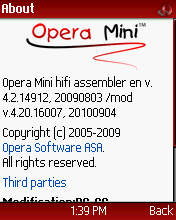 Similar to that in opera mini mod 3, means you can copy and paste text from any web page.

Download Manager: The brand new download manager with pause/resuming support. It also has download block size. You can add as many files in the download manager and simultaneously download them.
File Manager: You can use this advanced file manager for modify, view and other management to your file. You can play media files,view pictures, hidden files and add/edit text. Even you can edit hex data with it.
Copy-Paste Function:
 Similar to that in opera mini mod 3, means you can copy and paste text from any web page.
Multi Tab/Windows: Multi-window browsing for opening more than one site at a time.
~Keypad shortcuts at will.
~Templates for easy input.
~Multi Clipboard.
~Import/Export bookmarks.
~Control the Backlight brightens.
~Shadow browsing.
~Address Auto complete, Speed Dial,Synchronization, Page Saving, Skins.
~Own Color Skin Maker in "ChangeSkin".
~Power-User Setting and Debug Setting in "Special" Setting Function.
~Copy Full Text Box Texts to Clipboard.
 ~Screenshot feature added.
~Option for Sending SMS.
~Option for 'minimizing'.
~"View url info" feature added (place your cursor on a link and view the url).
~You can put unlimited text in the box.
~And many more.Its features are endless.
 Whats Update in Opera Mini Mod 4.2 Test 9:
[Added]
10/14/2010 When you view the cache to disk, you can choose form the list: only the file names, file names and addresses, file names and the title page and all the data. Also changed database format. When you install the new version will overwrite the old database. If, after this run the previous version, the database will be unreadable and you should remove it manually.
10/14/2010 Support for the loader domain with Cyrillic names (http://primer.ispytanie). Test.
10/09/2010 On the upper curb added information about the number of launches and the total number of downloads.
[Change]:
10/14/2010 When you view the cache to disk, you can choose form the list: only the file names, file names and addresses, file names and the title page and all the data. Also changed database format. When you install the new version will overwrite the old database. If, after this run the previous version, the database will be unreadable and you should remove it manually.
10/14/2010 Support for the loader domain with Cyrillic names (http://primer.ispytanie). Test.
10/09/2010 On the upper curb added information about the number of launches and the total number of downloads.
[Change]:
Subscribe to:
Posts (Atom)


